TABLE OF CONTENTS
Introduction
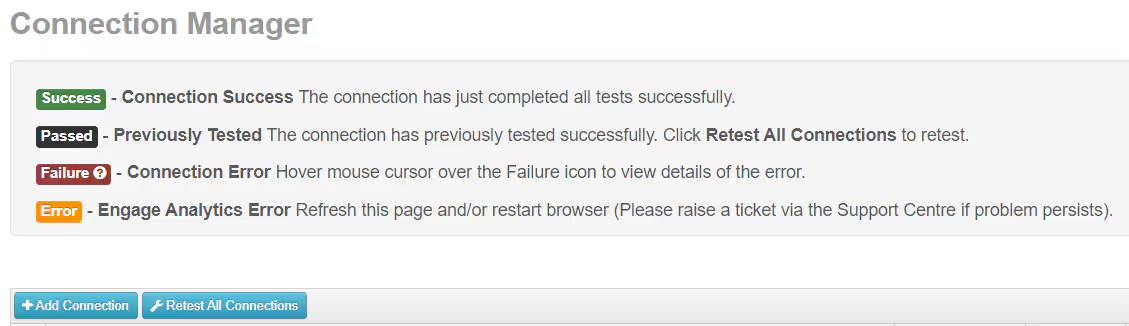
In Connection Manager you select the database/s to be included in Engage Analytics. You may only have one database but it still needs to be added here.
Connection Manager
- Go to Admin Options > Connection Manger.
Select Add Connection.
Enter the Connection Details for the first school. If you don't have this information please speak to your IT contact or log an incident in Engage Help.
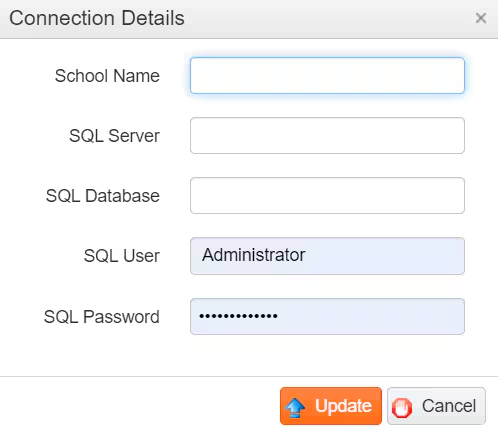
- Select Update.
- Repeat the process for each school, if required.
- If the connection is successful Passed displays in the Data Test column.
Use the icons on the right hand side to Edit, Disable or Delete the connection.

Was this article helpful?
That’s Great!
Thank you for your feedback
Sorry! We couldn't be helpful
Thank you for your feedback
Feedback sent
We appreciate your effort and will try to fix the article