TABLE OF CONTENTS
Introduction
Staff members who have been transferred to the Former Staff screen may re-join the school. Therefore their record needs to be reinstated to Current Staff.
Reinstate a staff member
- In Engage go to Staff > Staff Screen > Former Staff.
- Find the member of staff in the list.
Select the Reinstate Staff button.

- The Reinstate Former to Current Staff window opens.
Complete the relevant information.
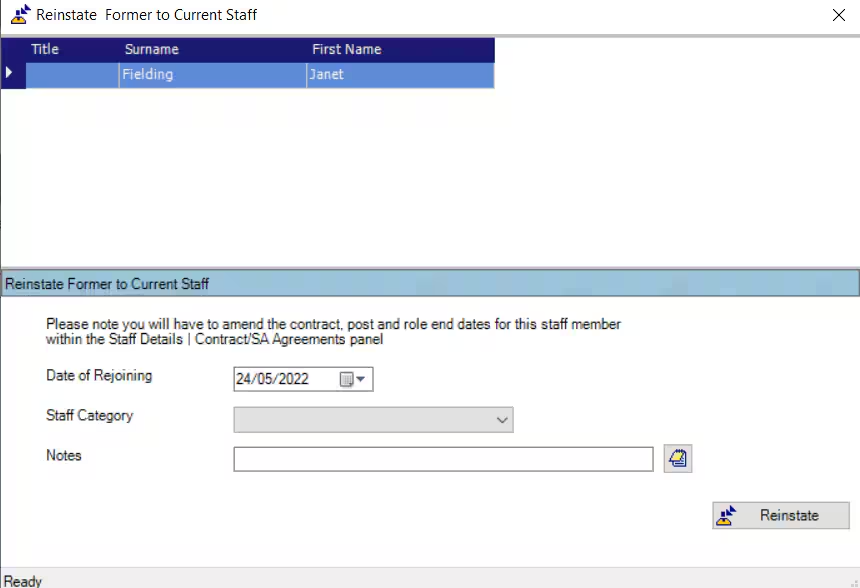
- Select Reinstate. The staff record will be moved to the Current Staff screen.
Was this article helpful?
That’s Great!
Thank you for your feedback
Sorry! We couldn't be helpful
Thank you for your feedback
Feedback sent
We appreciate your effort and will try to fix the article