TABLE OF CONTENTS
Introduction
A dummy copy is a snapshot of a live Engage database which can be used for testing or training purposes. Data added, or changes made in a dummy copy can't be copied back to the live system.
Create a dummy copy of Engage
- Select the Engage icon to load the login screen.
Enter the username and password and select the Database Options icon.
;
A new field will appear which displays the Engage database name. Select the Add New Database icon.

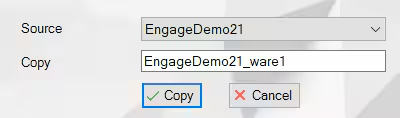
The source database and copy database names will display. Select Copy.
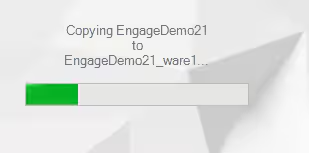
The database will copy and the progress will display on screen.
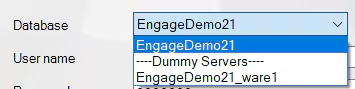
Once copied the login screen will display. Select the copied database from the drop-down list.
- Enter the username and password and select Login.
Once logged in, a message will display at the top left of the screen to show you are using a dummy copy.

- Use the system as normal and log out once finished. The next time you log in to Engage you will have the choice between the live database and the dummy copy.
Was this article helpful?
That’s Great!
Thank you for your feedback
Sorry! We couldn't be helpful
Thank you for your feedback
Feedback sent
We appreciate your effort and will try to fix the article