TABLE OF CONTENTS
Introduction
You can transfer a pupil to the next pupil stage when required. Their pupil record stays intact. You can't skip stages, the pupil must transfer through each of them.
Transfer a pupil
On the relevant pupil stage select the Transfer Pupils button.

A Transfer Pupils window will open. The fields will differ depending on which stage you are transferring the pupils from and to. The example below is Prospective to New Intake.
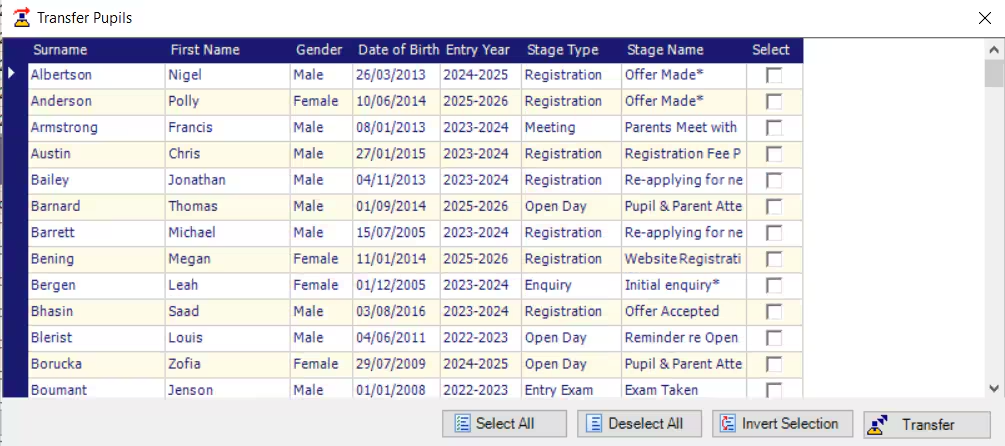
- Select the pupil or pupils to transfer by ticking the boxes and select Transfer.
- The pupil record moves to the next stage.
Was this article helpful?
That’s Great!
Thank you for your feedback
Sorry! We couldn't be helpful
Thank you for your feedback
Feedback sent
We appreciate your effort and will try to fix the article