TABLE OF CONTENTS
Introduction
The Enquiry Source field is optional but it could be useful for marketing purposes. The list is editable so you can add all relevant enquiry sources for your school.
Add an enquiry source
- In Engage go to any pupil stage and highlight any pupil.
- Go to the Registration Details tab on the pupil record.
Select the edit icon next to the Enquiry Source field.

- The Add/Edit window opens.
- Select Add New.
Enter a Code and Description.
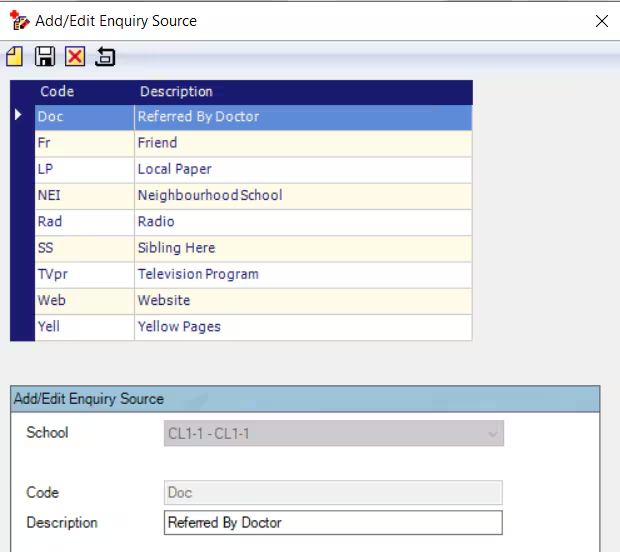
- Select Save.
- The new option is added to the list and can be selected.
Was this article helpful?
That’s Great!
Thank you for your feedback
Sorry! We couldn't be helpful
Thank you for your feedback
Feedback sent
We appreciate your effort and will try to fix the article