TABLE OF CONTENTS
Introduction
When you allocate a charge to a group in the Allocate Pupil Charges screen, you have the option to either manually change the allocation after allocating the batch, or use the Edit Individual Charges tool before saving the allocation.
Change the charge for a pupil when allocating charges to a batch
- In the Fees>Allocation>Allocate Pupil Charges screen select the Open New Allocation Screen button on the right of the screen.
- Select the required Pupil Stage and Year Group.
- Allocate the charge to selected pupils.
- Select No to the Quick Edit the Charge option (unless you want to override the charge for the group).
Select Yes to the edit Individual charges confirmation.
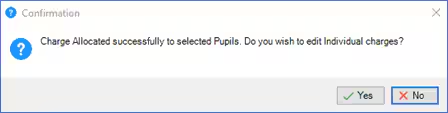
- In the Quick Edit Pupil Charges window select the changes to the individual pupil(s) and then save and close the screen.
- The individual charges will now appear in the individual pupil allocation details.
For more information on allocating charges to pupils see the Engage Fees Billing guide Allocate Pupil Charges section.
Was this article helpful?
That’s Great!
Thank you for your feedback
Sorry! We couldn't be helpful
Thank you for your feedback
Feedback sent
We appreciate your effort and will try to fix the article